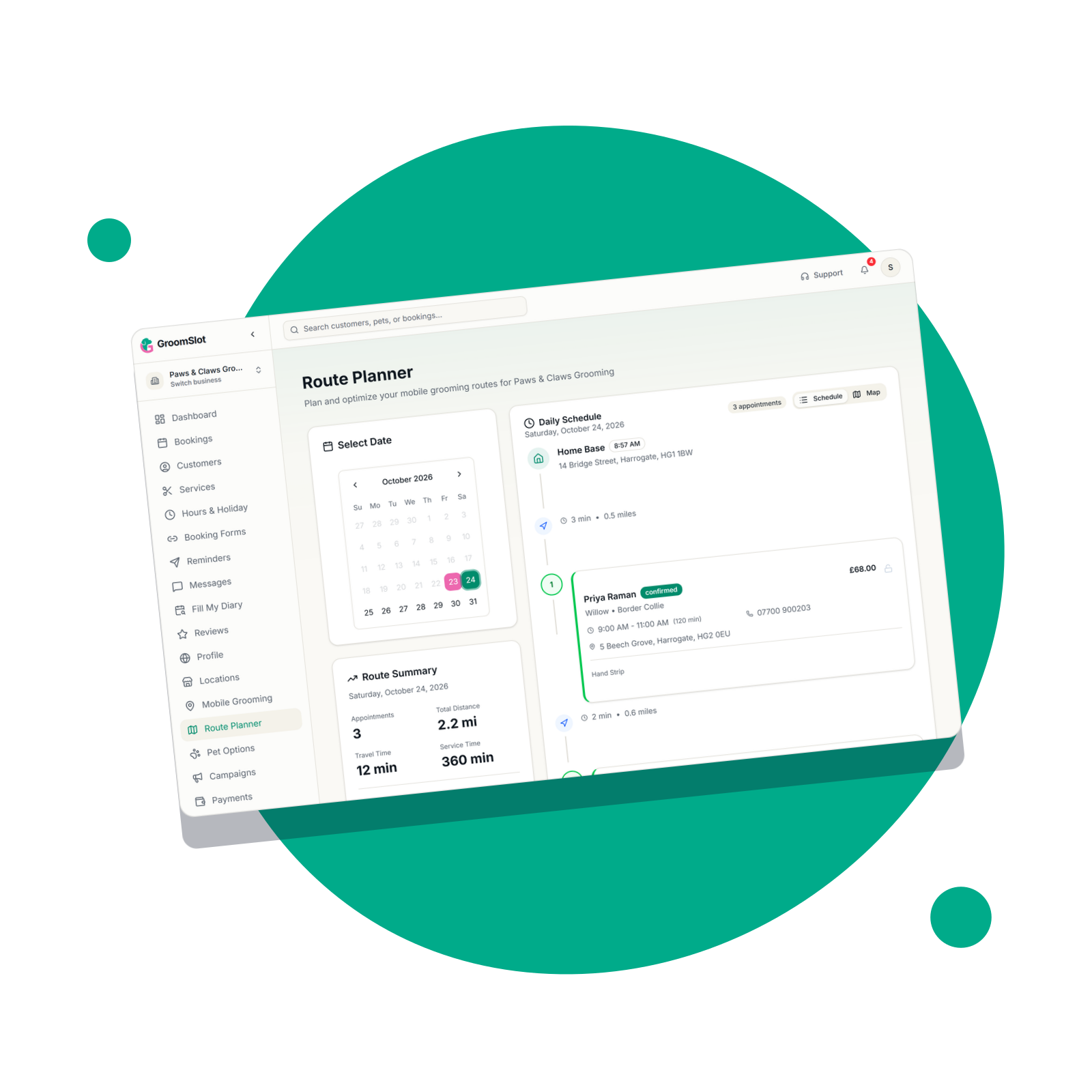
Plan a mobile grooming round
See the day as a route, with each stop on the map and the travel between them.
Built around the driving
Mobile grooming is not just appointments. It is travel, timing and energy. GroomSlot plans your day by suggesting times near your other bookings, allowing for the drive between them and putting your round in the best order.
For a deeper look at how route planning cuts fuel costs and wasted driving, read our guide to mobile grooming route planning.
Clients book into slots that suit your round
When a client books online, GroomSlot looks at where your other appointments are that day. Slots close to them are marked Recommended, so clients naturally book into your round with no back-and-forth.
Times you could not physically get to are not offered at all.
Set the limits on your travel
- Service radius: clients outside your area cannot book online.
- Day zones: set a different service area for particular days of the week.
- Daily mileage: set the most you will drive in a day, and stop online bookings that would go over it.
- Drive time between appointments: stop clients booking a slot that is a long drive from your other appointments that day, and relax the limit as the date gets closer.
- Travel buffer: add extra time between appointments for travel and setting up.
- Travel fees: add a fee automatically for addresses further away.
See the day, then drive it
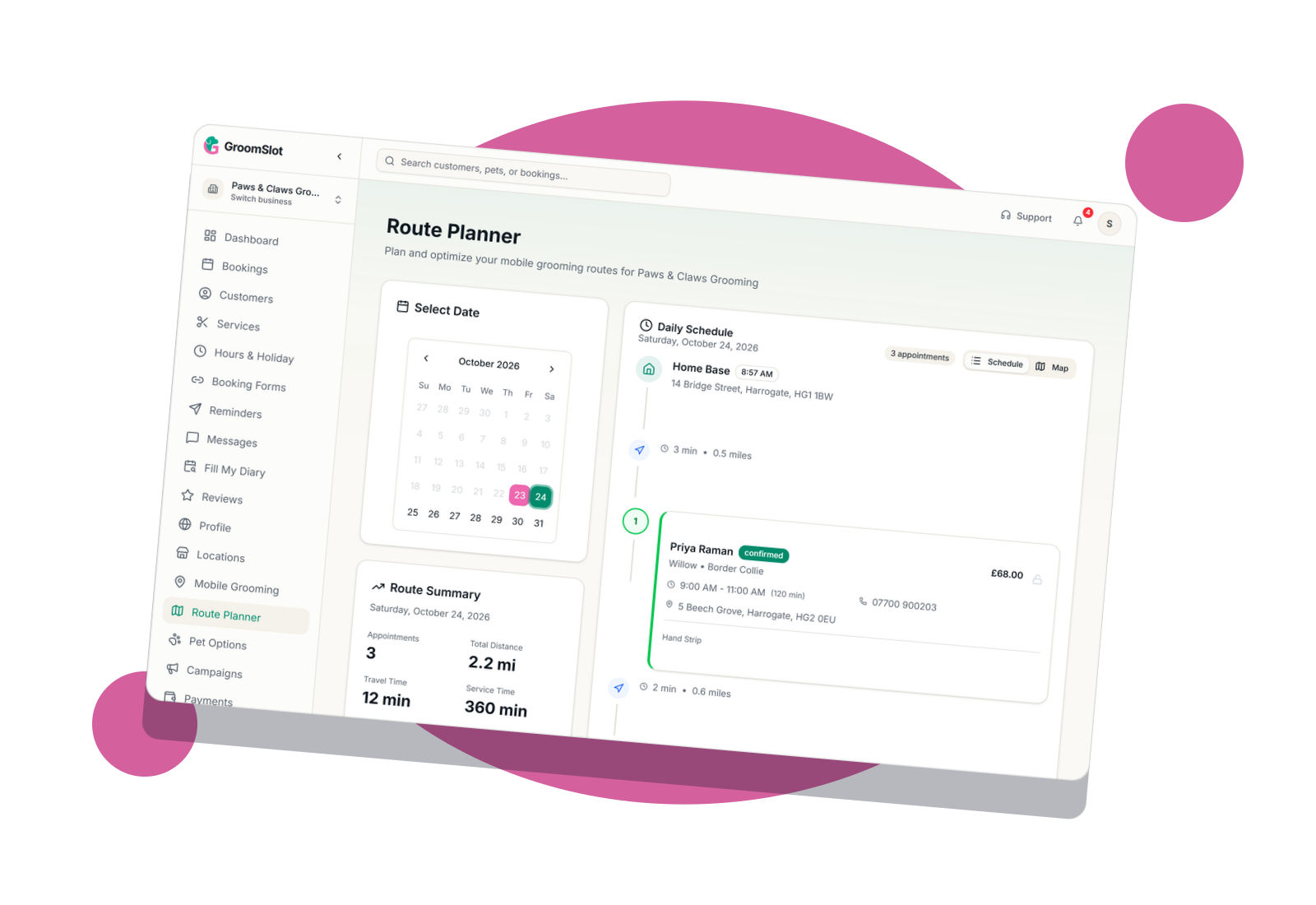
The route planner shows your stops on a map with the total distance, travel time, grooming time and length of the whole day. Optimise the route and it shows what you would save before you accept the change. When you are ready, open it in Google Maps.
See how much time and money you could save with our calculator.
How GroomSlot plans your day
Your Day at a Glance
See travel time, grooming time, mileage and total day length before you leave home.
Stay Local, Stay Profitable
Set a service radius, day zones and travel buffers to avoid long, unprofitable drives.
One-Tap Navigation
Open your route in Google Maps with every stop in order.
See it in action
Frequently Asked Questions
How does the "Recommended" slot feature work?
When a client uses your booking form, GroomSlot works out how far they are from your other appointments that day. Nearby slots are marked Recommended, which keeps your bookings close together without you managing it by hand.
Can I limit how far I travel in a single day?
Yes. Clients outside your Service Radius cannot book online. You can also set a Maximum Daily Travel Distance and switch on a check that stops online bookings going over it.
What is "Smart Booking Power"?
It is the monthly allowance behind your address lookups and travel calculations. You can see how much is left under Usage in your mobile grooming settings.
Can I choose which days I work in certain areas?
Yes. Day Zones let you set a different service area for specific days, such as North London on a Tuesday.
Works well with
Online Booking
See the featureMobile App (coming soon)
See the featureAutomated Reminders
See the featureSee how it fits together: Mobile dog grooming software